The full CMMS in your pocket.
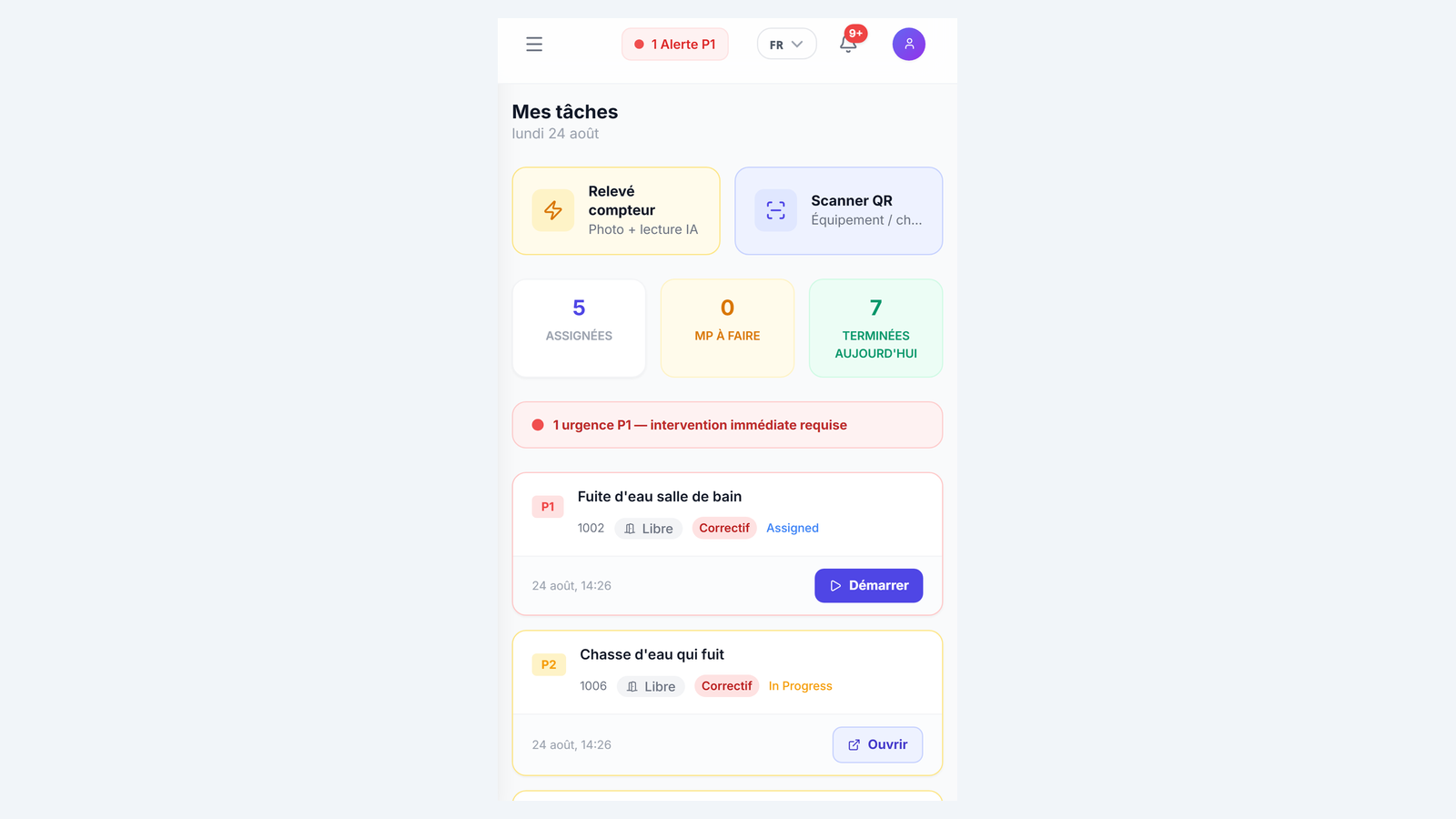
Arckium's mobile PWA gives field technicians everything they need: offline work order execution, QR asset scanning, voice input, photo capture, and real-time push notifications, installable on any device, no app store required.
- Offline
- PWA works without signal
- QR
- Scan to report or to asset
- Voice
- Note to structured work order
- No install
- Runs in the browser
Everything you need. Nothing you don't.
Installable PWA, no app store
One tap to add Arckium to the home screen on iOS or Android. No app store approval, no version management, no MDM required. Updates deploy server-side and reach every device instantly.
Offline-first execution
Technicians work in basements, plant rooms, and elevator shafts: places with no signal. Arckium caches the active work order queue locally. Actions sync the moment connectivity returns. No lost data, no blocked workflows.
QR asset scan
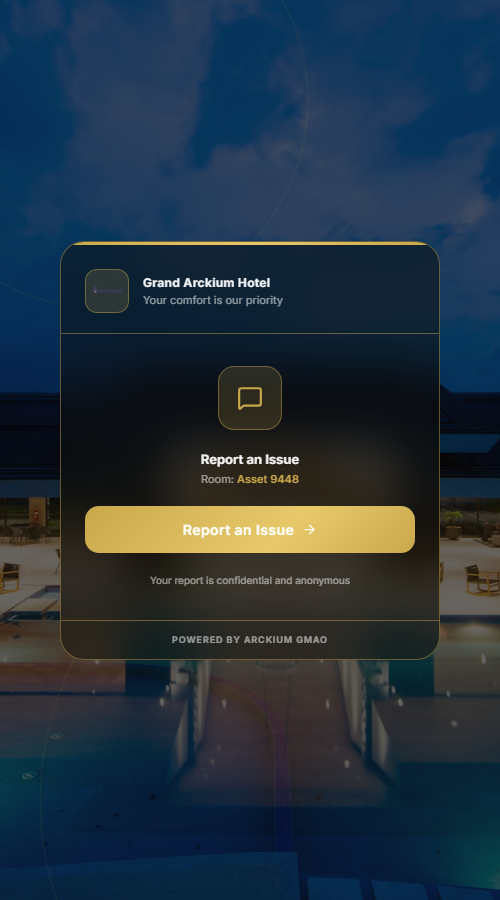
Every asset in Arckium has a unique QR code. Scan it on mobile to instantly open the asset profile, active work orders, and full maintenance history. No typing. No searching. Zero friction.
Voice-to-work-order
Technicians speak their report. The Web Speech API transcribes it. Mistral structures it into a work order with asset identified, priority set, and parts suggested, in under 8 seconds. Hands stay free.
Photo evidence on every checkpoint
Each PM checkpoint can require photo evidence before marking complete. Photos are uploaded directly from the mobile camera, timestamped, geo-tagged, and linked to the checkpoint record.
Real-time push notifications
New work order assigned? Push notification with full context. P1 escalated? Immediate alert. Technicians never miss an assignment. Managers see acknowledgement timestamps in the Command Center.
How it works
- 01
Technician installs the PWA
Navigate to the Arckium URL and tap "Add to Home Screen." The PWA installs in under 5 seconds with the full CMMS cached for offline use. No app store. No IT ticket.
- 02
Work order arrives via push
When a work order is assigned, a push notification arrives with asset name, location, and priority. One tap opens the WO with full context, no login redirect and no navigation.
- 03
QR scan unlocks the asset
For high-security PMs, the technician scans the asset's QR code to unlock the checklist. This creates a tamper-proof on-site presence record, impossible to complete remotely.
- 04
Completion syncs in real time
Checkpoints completed, photos uploaded, sign-off given. The work order status updates in the Command Center immediately. If offline, everything syncs when the technician walks back into range.
Connects with the rest of Arckium
Every module is designed to work together: data flows automatically, no sync required.
Give your technicians the right tool.
30-minute live demo. See it configured for your operation.