The war room for your physical operations.
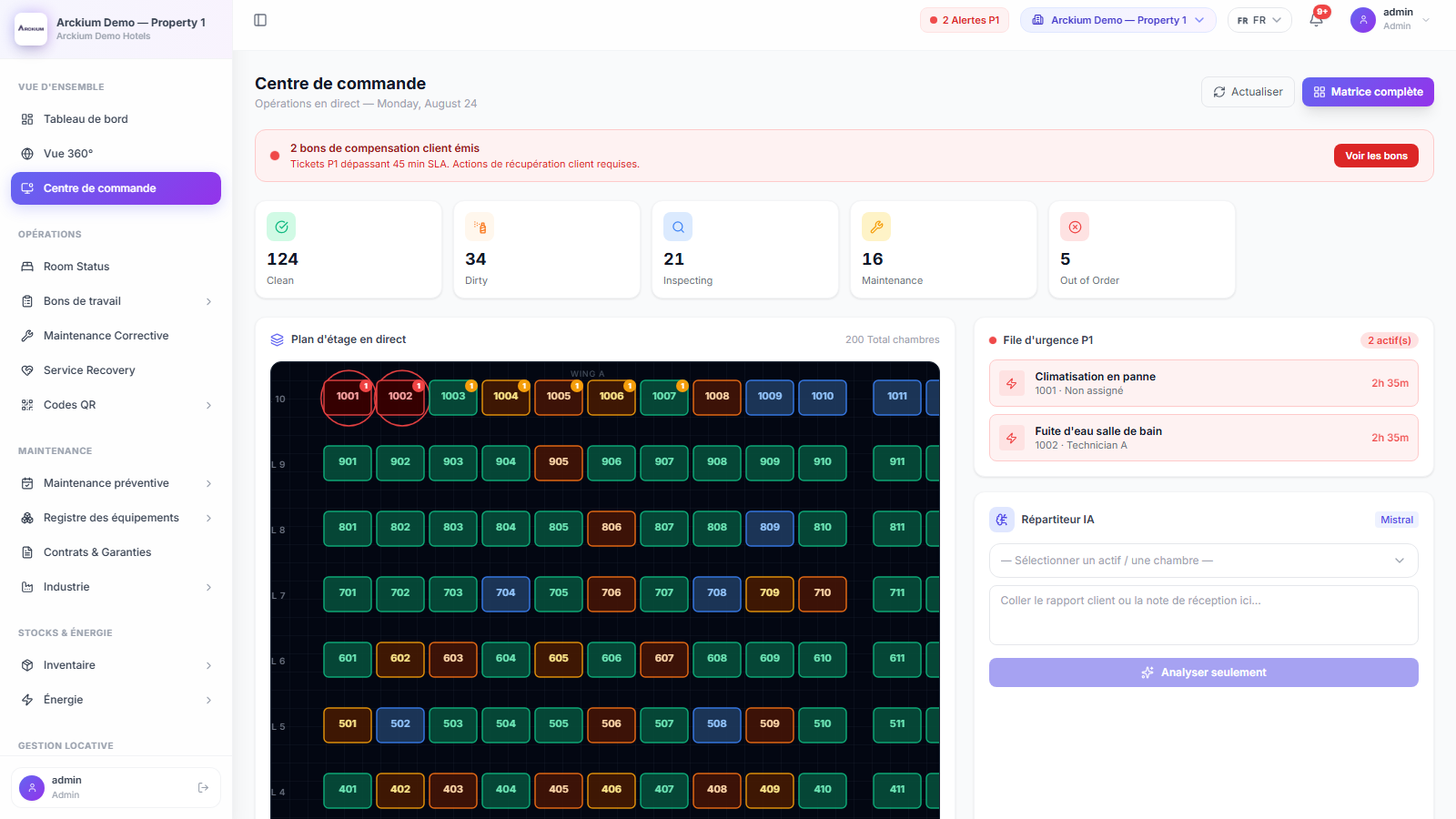
A live floor plan where every room and asset status is visible at a glance. P1 emergencies pulse red. AI dispatches the closest certified technician. Resolution tracked in real time.
- 45 min
- Default P1 breach threshold
- Live
- Floor-plan room status
- 1 screen
- For the entire property
- 2 levels
- Escalation to chief engineer, then GM
Everything you need. Nothing you don't.
Live SVG floor plan
Every room on every floor rendered as a live status matrix. Color-coded: green (ready), yellow (maintenance), red (out-of-order). Updates in real time without page refresh.
P1 pulse-ring animation
Emergency rooms pulse with a red ring animation. Your duty manager sees the problem before the phone rings. Urgency is visual, not buried in a notification list.
One-click work order creation
Click any room on the floor plan. A slide-in panel opens with the room context pre-filled. Create and assign a work order in under 10 seconds, without leaving the floor view.
AI dispatcher inline panel
The AI Dispatcher lives inside the Command Center. Paste or speak a complaint. AI reads it, identifies the asset, selects the right technician, and creates the WO, visible on the floor plan instantly.
Priority queue sidebar
P1→P4 work orders sorted by priority and time open, displayed alongside the floor plan. Technician assignment, status, and elapsed time all visible in a single column.
Drag-and-drop layout designer
Define your floors, wings, and room grid once. Arckium generates the live floor plan automatically. Changes propagate immediately, no re-configuration needed.
How it works
- 01
Guest scans QR code in room 204
Anonymous report arrives: "AC not working, room very hot." Arckium timestamps the report and opens it in the Command Center.
- 02
AI identifies asset and selects technician
Mistral engine reads the complaint, resolves it to the Room 204 HVAC unit, finds Ahmed K. (HVAC certified, on-shift, nearest), and creates a P1 work order.
- 03
Room 204 pulses red on the floor plan
The duty manager sees the pulse without checking their phone. Ahmed receives a push notification on the mobile PWA with full context.
- 04
Resolution tracked live. Room turns green.
Ahmed completes the WO on mobile. Room 204 transitions to guest-ready. The floor plan updates in real time. Elapsed time: 38 minutes.
Connects with the rest of Arckium
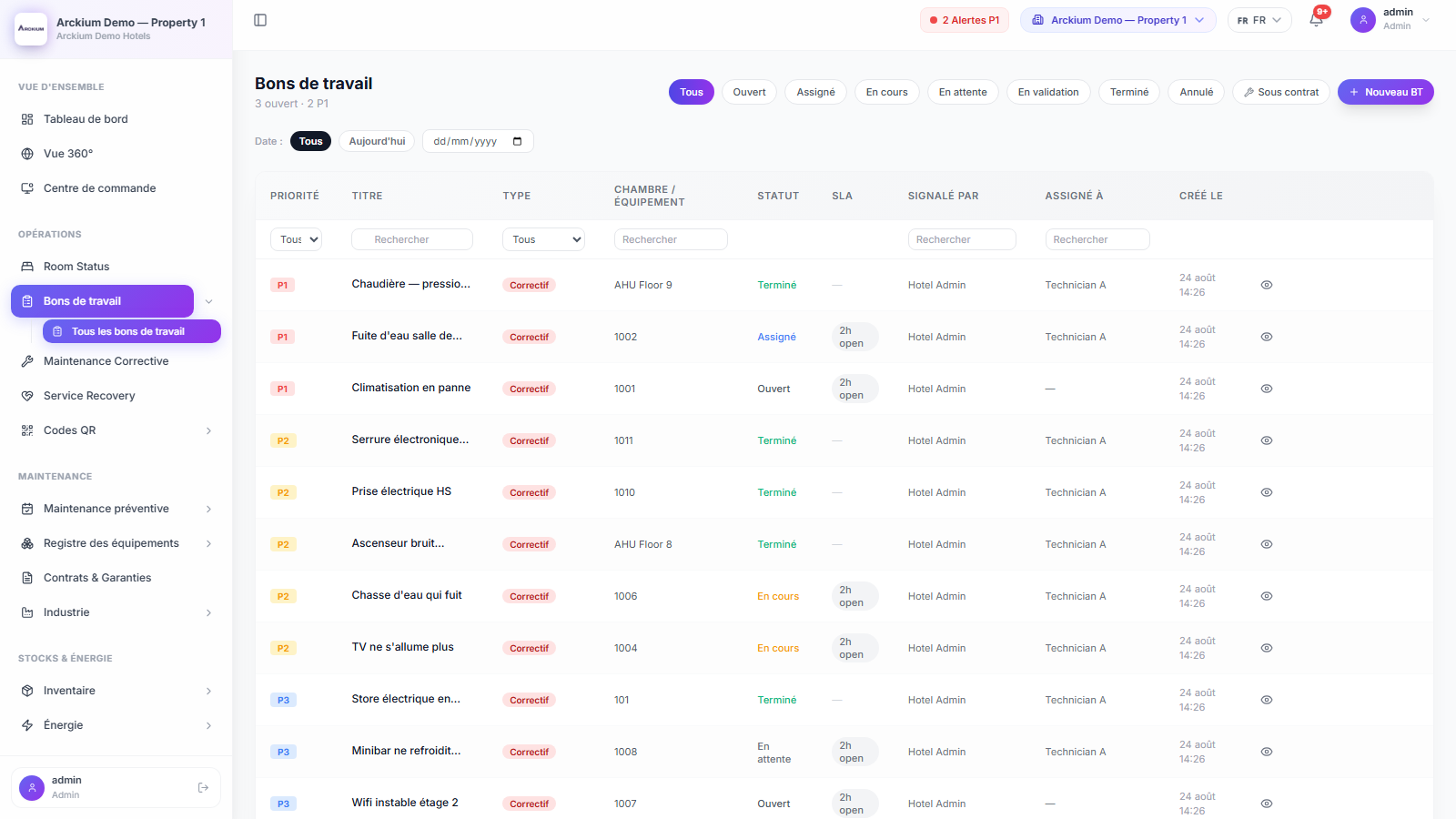
Every module is designed to work together: data flows automatically, no sync required.
See your floor plan live in 30 minutes.
30-minute live demo. See it configured for your operation.