Every asset. Every detail. Always current.
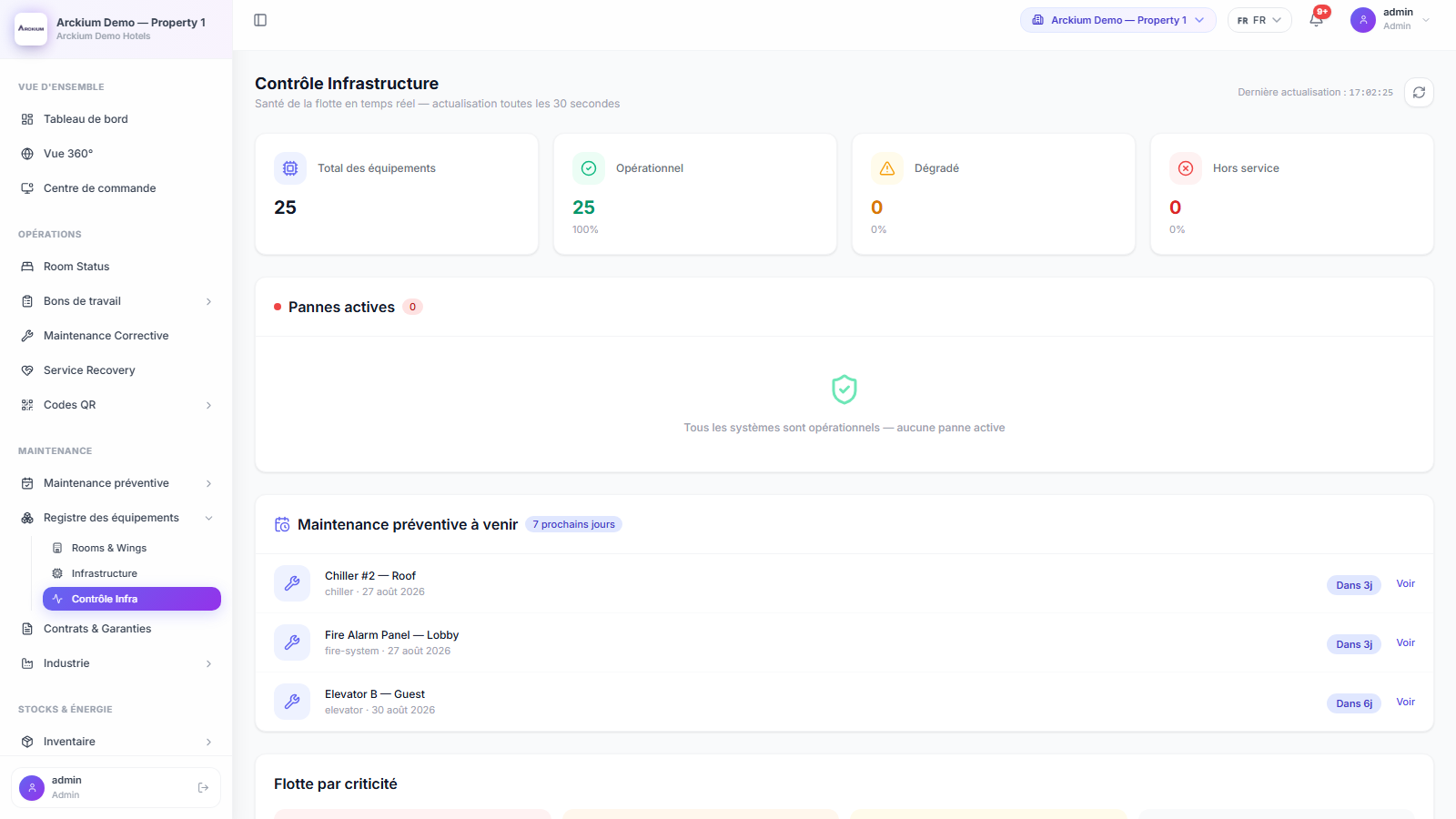
Arckium maintains a live registry of every physical asset across your properties: from installation date to last service, from active warranties to certification expiry. One source of truth for your entire infrastructure.
- QR
- Scan straight to asset history
- MTBF
- Tracked per asset
- 30 days
- Warranty expiry warning
- Any depth
- Site, line, machine, component
Everything you need. Nothing you don't.
Full lifecycle registry
Track every asset from procurement to decommission. Installation date, purchase price, depreciation schedule, expected end-of-life, and replacement cost, all in one place, searchable in under 2 seconds.
Certifications & compliance tracking
Assign certifications to assets (fire safety, pressure vessel, elevator inspection) with expiry dates. Arckium alerts you 30 and 7 days before expiry. Never face an unplanned audit again.
Contract & warranty management
Attach vendor contracts and active warranties directly to each asset. Track coverage periods, SLA response times, and escalation contacts. Know exactly what is covered before you call a technician.
MTBF and failure analytics
Mean Time Between Failures is calculated automatically from your work order history. Identify chronic problem assets before they become budget line items. Replace at the right time, not after the third breakdown.
QR-linked maintenance history
Every asset gets a unique QR code. Scan it to see the full history: every work order, every PM completion, every part replaced. The asset tells its own story, no manual lookup required.
Multi-property hierarchy
Organize assets by property → building → floor → room. Inherited PM schedules, technician assignments, and compliance rules flow down the hierarchy. Configure once, apply everywhere.
How it works
- 01
Asset registered with full context
Add an asset with serial number, category, location, purchase date, warranty info, and associated vendor contract. Assign a PM schedule and it enters the nightly scheduler immediately.
- 02
QR code generated and attached
Arckium auto-generates a printable QR code for the asset. Technicians scan it on mobile to access full context before opening any work order, no manual lookup.
- 03
Work orders accumulate history
Every corrective and preventive work order links back to the asset. Parts consumed, time spent, technician notes, photo evidence: all indexed and searchable.
- 04
Analytics surface patterns
MTBF trends, cost-per-asset reports, and certification dashboards give operations managers actionable insight: when to replace, when to renegotiate contracts, when to escalate to vendors.
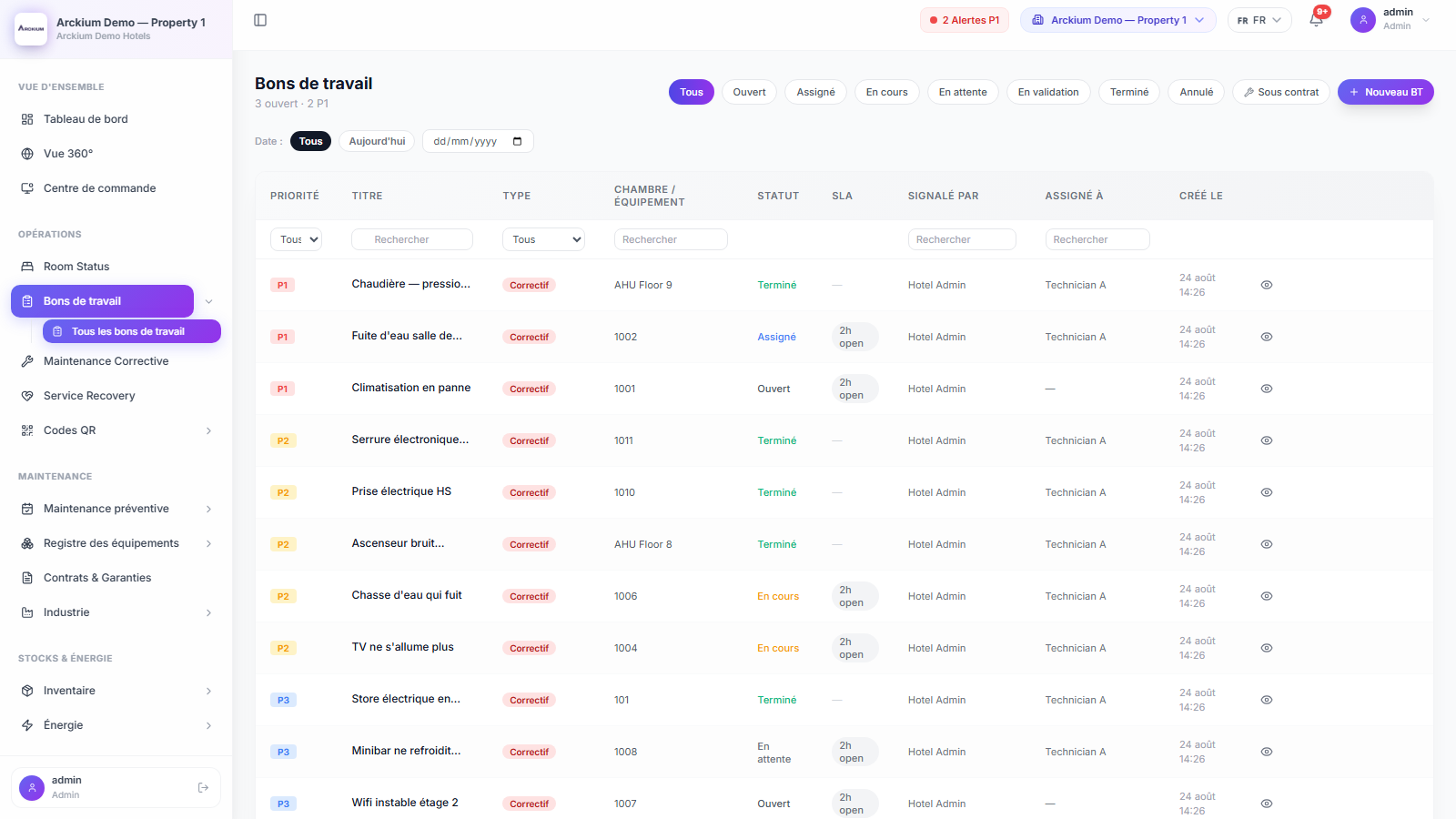
Connects with the rest of Arckium
Every module is designed to work together: data flows automatically, no sync required.
Stop losing assets. Start managing them.
30-minute live demo. See it configured for your operation.