Do not pay for a repair the warranty covers.
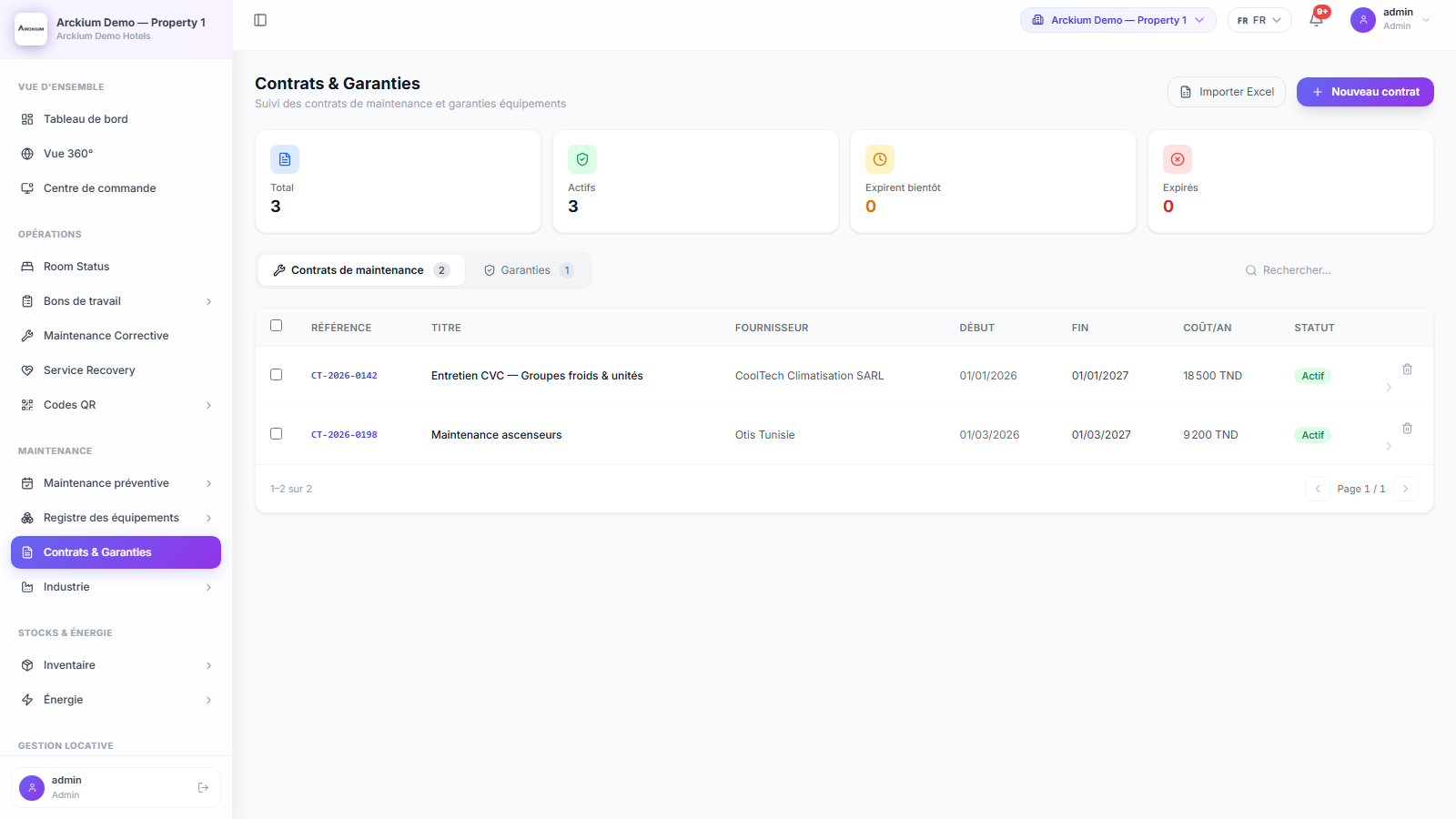
Contracts and warranties sit on the assets they cover, with the signed PDF attached. Every morning Arckium tells you what expires in the next thirty days.
- 08:00
- Swept every day
- 30 days
- Warning window
- 4
- Coverage types
- Bulk
- Spreadsheet import
Everything you need. Nothing you don't.
Contracts and warranties in one place
The same record with different semantics: coverage type on one, warranty type on the other.
Answer "is this covered?" without opening the PDF
Preventive, corrective, full-service or parts-only on a contract. Parts, labour or full on a warranty.
Ask the asset, not the office
The contract points at the equipment it protects, so coverage is visible from the machine.
Eight in the morning, every day
Anything expiring inside thirty days notifies the right roles, once a week per contract, not once a day.
The paperwork stays with the record
Signed PDF, annexes and price schedules attached to the contract itself.
Get the spreadsheet in
A template and a bulk import for the contracts you already track, with bulk delete for the second attempt.
Renewal season as a report
Value and currency, plus status: active, pending renewal, expired, cancelled.
How it works
- 01
Load them in
Import from the template, or enter them one at a time with vendor, dates and value.
- 02
Say what they cover
Set the coverage and point the contract at its assets, then attach the signed documents.
- 03
The sweep watches the calendar
Thirty days out, the right people hear about it.
- 04
Renew, or let it go on purpose
Pending renewal to renewed or expired, with the decision on the record.
Connects with the rest of Arckium
Every module is designed to work together: data flows automatically, no sync required.
Never let a contract lapse by accident.
30-minute live demo. See it configured for your operation.